sprungmarker testet

Monat: November 2010

Webfonts in der Praxis – Teil 2 – Beispielfont Lobster

Die letzten Monate des Jahres sind irgendwie immer eher stressig – scheint so ein Naturgesetz zu sein. Daher erst jetzt den zweiten Teil zum Thema Webfonts in der Praxis.

Im ersten Teil ging es darum, sich einen Überblick zu Webfont-Services zu schaffen, im zweiten Teil geht es nun um die konkrete Praxis – egal ob es sich um selbst- oder fremdgehostete Fonts handelt – wie sieht das konkrete Ergebnis aus, wo treten die Probleme auf, auf was muss man acht geben, was kann man noch nachjustieren.

Weiterlesen „Webfonts in der Praxis – Teil 2 – Beispielfont Lobster“
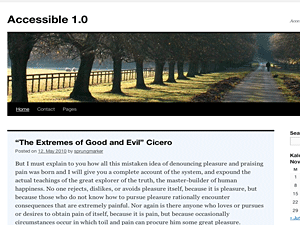
WordPress Child Theme for Twenty Ten: Accessible 1.0

Screenshot Accessible 1.0 child theme for Twenty Ten

WordPress 3.0 came out with a new default theme: Twenty Ten. The theme is compared to Kubrick an improvement, but still has mostly the same accessibility issues as its forerunner, e.g. not enough contrast in colors, few improvements for keyboard users and you get no real information about user’s location within a web page.

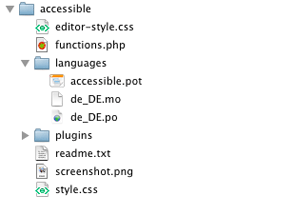
Screenshot: Accessible 1.0 file structure

This is where Accessible 1.0 get’s into: a child theme for the default theme Twenty Ten to get the parent theme more accessible. You get all functionality of Twenty Ten plus accessible features of the child theme. That’s a nice deal. 🙂

And: the child theme uses no templates, only a css file and some programming in functions.php. That’s all. Accessible 1.0 should only be a small accessible enhancement.

You find all informations about Accessible 1.0 on a new site – Accessible WordPress. Please follow updates and download the accessible child theme there: WordPress Child Theme for Twenty Ten: Accessible TwentyTen.

Thanks. 🙂

WordPress Plugin: MCE Accessible Language Change

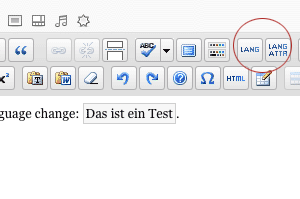
Screenshot: Buttons MCE Accessible Language Change

One thing I always missed in WordPress editor TinyMCE is to add language change. So I made my first plugin. 🙂 This was somehow hard because it’s not only to get a plugin in WordPress running, you also have to get into programming with TinyMCE. So keep in mind when you use the plugin, I am a novice …

The Plugin MCE Accessible Language Changenow in the WordPress Plugin directoryadds two buttons to the editor: one for changing the language of a word or phrase within a span element and one for changing or adding the language of already existing block elements as paragraphs or headlines. Furthermore you can add the target language to a link: Weiterlesen „WordPress Plugin: MCE Accessible Language Change“